Online booking system for UK counsellors and psychotherapists
Clients book from your real availability and pay when they book, so you stop chasing fees and cut no-shows. Built by a practising counsellor for how private practice actually works.
No card needed · For counsellors and psychotherapists in private practice
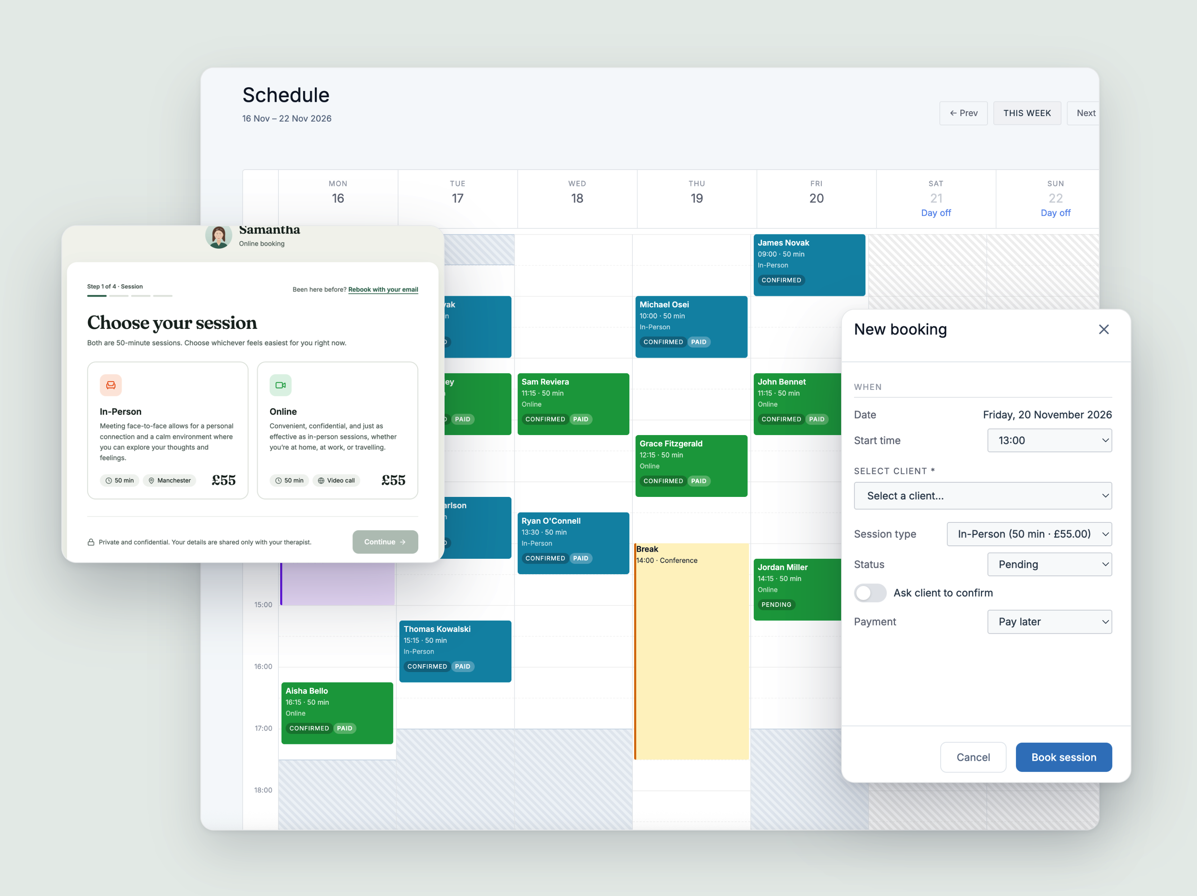
Online booking page for your counselling practice
Clients pick a time on your public booking page. Only the slots you are genuinely free for are shown.
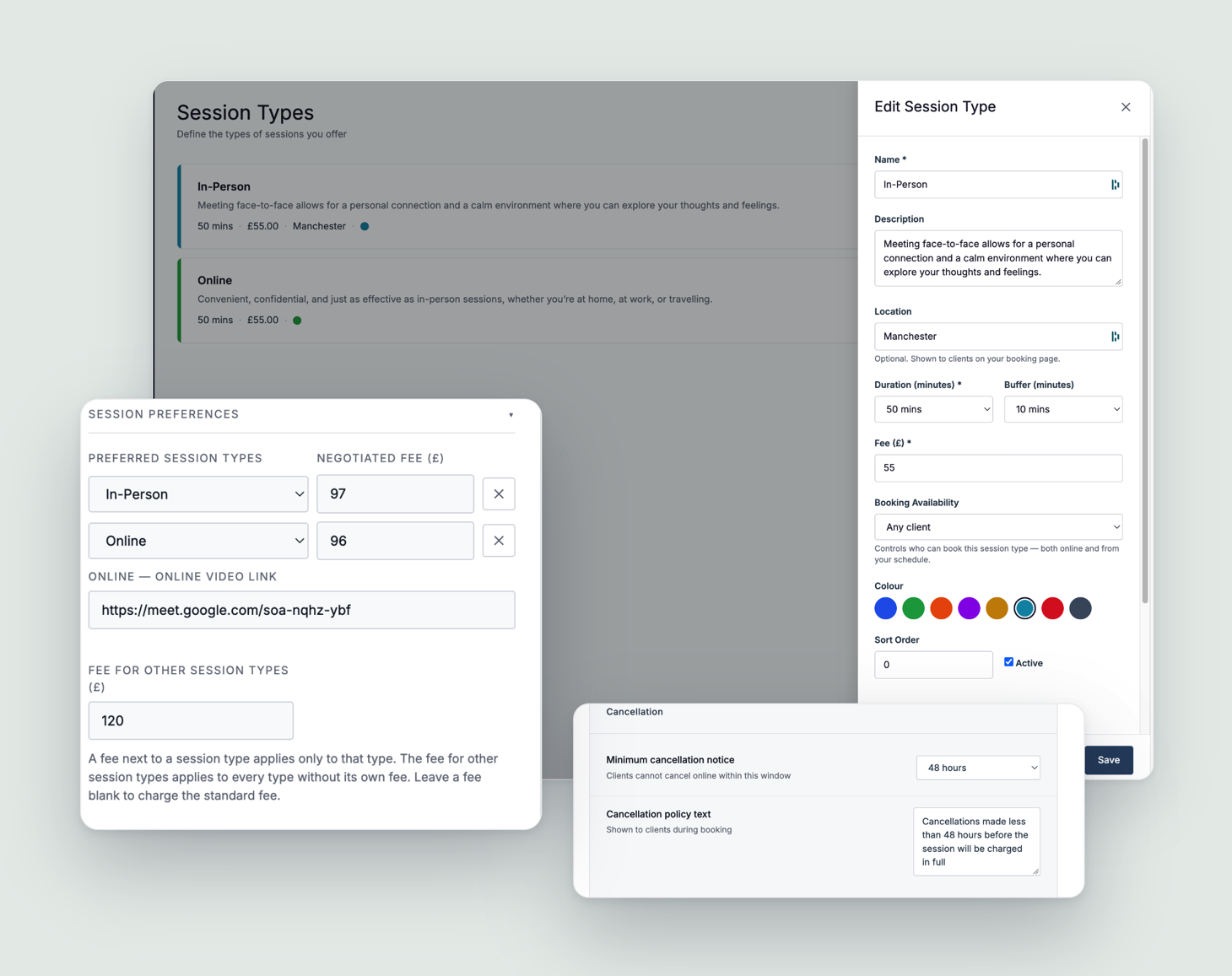
Session types on your terms
Create as many session types as you need, each with its own length, buffer and fee.
Availability by session type
Decide which days and times each session type can be booked, rather than one blanket timetable.
Notice and booking windows
Set the minimum notice you need and how far ahead clients are allowed to book.
Individual fees
Agree a different rate with a client and it is applied to their bookings automatically.
Payment taken when clients book
No more chasing fees at the end of the month.
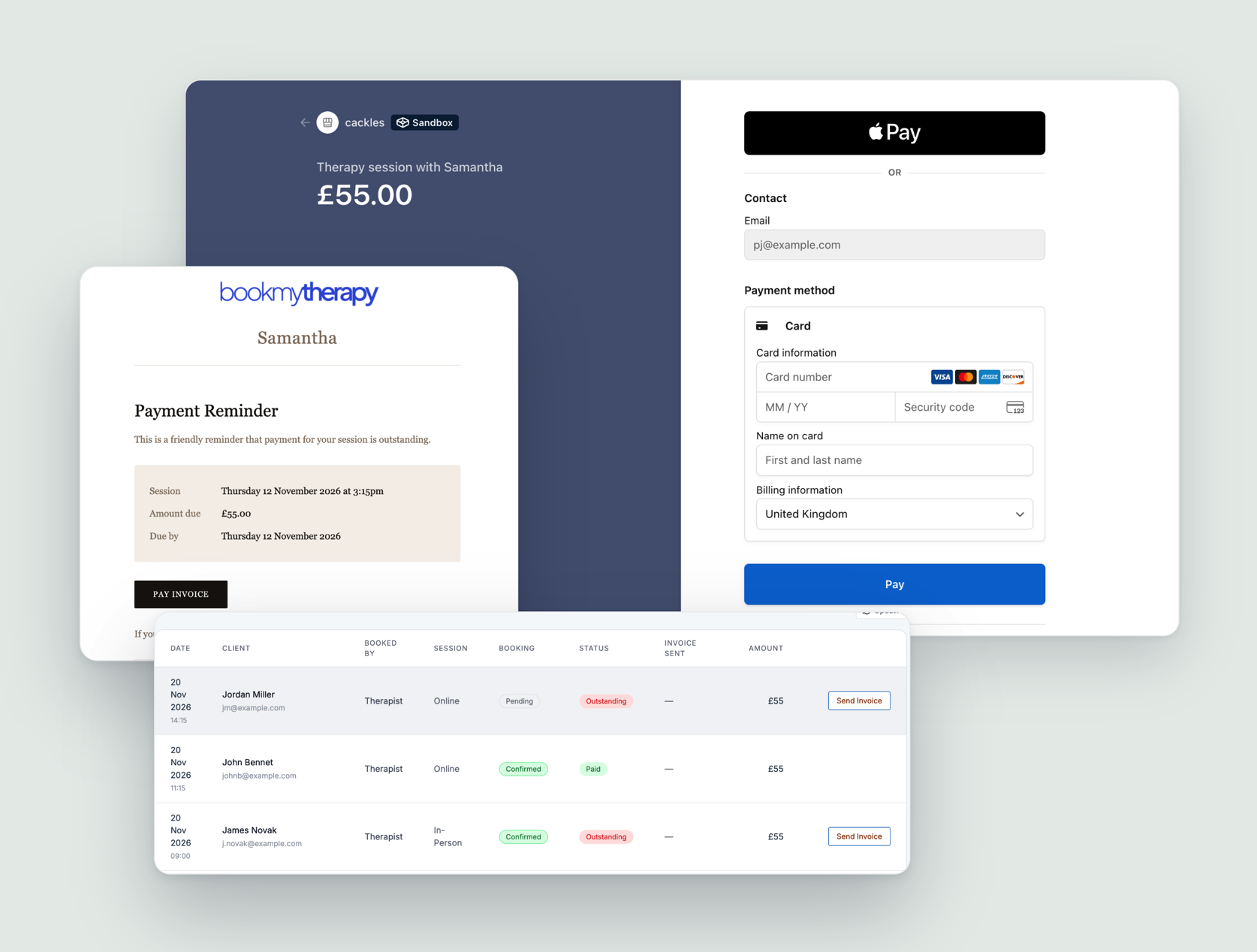
Card payments through Stripe
Clients pay by card when they book, and the money goes straight into your own Stripe account.
Unpaid bookings released
If a payment never arrives the booking is cancelled automatically and the slot opens up again. The client is told the deadline beforehand, and gets a link to book again.
Invoices when you need them
Send an invoice before or after a session when a client needs to pay another way, with reminders sent on the schedule you choose.
Fewer missed sessions
Automatic reminders
Clients are reminded before each session on the schedule you choose.
Confirmations with a cancel link
You and your client both get an email the moment a session is booked or cancelled.
Video links sent for you
Set one video link for online sessions, or a different one per client, and it goes out in their confirmation.
Easy rescheduling
Move a session on your schedule and the client is emailed the new time.
Works with the diary you already keep
Google Calendar sync
Bookings appear in your Google Calendar as they are made, and anything already in your calendar blocks that slot.
Breaks and days off
Mark holidays, lunch and admin time once and they stay unbookable.
Intro calls and first sessions
Bookable intro calls
Prospective clients book a short introductory call by phone or video from their own link, at a time you have free.
Enquiries that stay linked
Each enquiry is logged and stays connected to the person if they go on to become a client.
A first session with its own fee
Give the initial session its own description and price, separate from ongoing sessions.
Questions
- Do clients need an account to book?
- No. Clients choose a time on your booking page and enter their details. There is nothing for them to sign up to.
- Where do client payments go?
- Card payments are taken through Stripe and paid into your own Stripe account. BookMyTherapy does not hold your clients’ money.
- Will it double-book me against my Google Calendar?
- No. Once Google Calendar is connected, events already in your calendar block those times from online booking, and new bookings are added to your calendar.
- Can I try it before paying?
- Yes. Your free trial starts once your account is verified, and no card is needed to start it.
Ready to let clients book online?
Sign Up Free